










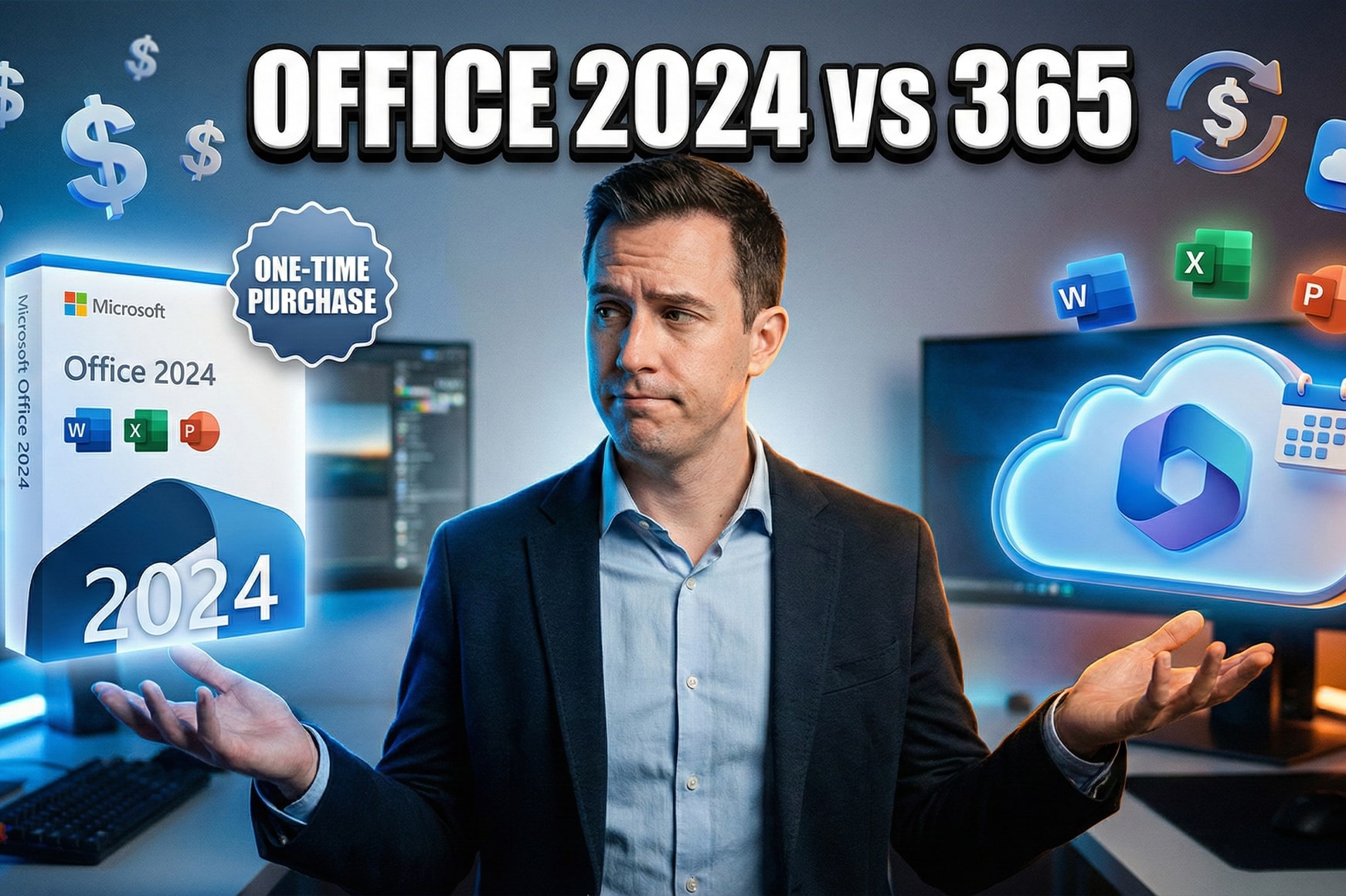
You need Microsoft Office, but should you pay once and own it forever, or subscribe monthly for continuous updates and cloud features? This decision affects not just your immediate budget but your total software costs over the next three to five years. Office 2024 promises simplicity with a single $150 purchase, while Microsoft 365 offers flexibility starting at $70 annually with added cloud storage and mobile access. The right choice depends entirely on how you work and what you actually need from your productivity software.
Microsoft deliberately maintains two distinct Office product lines targeting different user priorities. Office 2024 represents the traditional software purchase model where you buy the applications once and use them indefinitely without additional fees. Microsoft 365 follows the subscription model that dominates modern software, providing regular feature updates, cloud services, and multi-device access in exchange for ongoing payments. Neither option is objectively better—your ideal choice hinges on factors like budget structure, feature requirements, collaboration needs, and whether you value software stability or continuous innovation.
This comprehensive comparison examines every meaningful difference between Office 2024 and Microsoft 365, from up-front costs to five-year total ownership expenses, included applications to missing features, offline capabilities to cloud integration advantages. You'll learn exactly which licensing model fits specific use cases, how pricing breaks down for individuals versus businesses, and which hidden factors might unexpectedly influence your decision. By the end, you'll know precisely which Office option delivers the best value for your specific situation.
Understanding the Core Difference
The fundamental distinction between Office 2024 and Microsoft 365 lies not in the applications themselves but in how you acquire and maintain your license to use them. Office 2024 functions as traditional software—you purchase a license once, download the applications, and continue using that specific version forever. Microsoft 365 operates as a subscription service where you pay monthly or annually for access to Office applications plus additional cloud services, and your license remains valid only while payments continue. This licensing difference cascades into numerous practical implications affecting costs, features, updates, and how you work with the software daily.
Office 2024 represents what Microsoft calls a "perpetual license" or "one-time purchase." You pay a single up-front fee ranging from $150 for the Home edition to $250 for Home & Business, and Microsoft grants you the right to use that version indefinitely on one computer. The software doesn't expire, doesn't require ongoing payments, and continues functioning even after Microsoft ends security update support in October 2029. You receive the Office applications as they exist at release—Word, Excel, PowerPoint, and OneNote in the Home edition—with no feature additions beyond security patches. This model appeals to users who prefer owning their software outright and avoiding recurring expenses.
Microsoft 365 subscriptions provide access to Office applications plus cloud-powered services like OneDrive storage, Microsoft Teams, and continuous feature updates. Personal plans start at $70 annually ($7 monthly) for one user, while Family plans cost $100 annually ($10 monthly) for up to six users. Business subscriptions range from $6 to $22 per user monthly depending on included services. Unlike Office 2024's single payment, Microsoft 365 requires ongoing payments to maintain access—stop paying and your applications enter "reduced functionality mode" where you can view but not edit documents. The subscription does grant significant advantages: regular feature additions, mobile app access, collaboration tools, and substantial cloud storage that perpetual licenses completely lack.
Payment Models and Their Implications
The payment structure difference extends beyond simple budgeting to affect software lifecycle management and long-term costs. Office 2024's upfront payment means you absorb the entire cost immediately, which suits organizations with capital expenditure budgets and users preferring predictable one-time expenses. However, when Microsoft eventually releases Office 2027 or 2030, you must purchase it at full price again if you want newer features—there are no upgrade discounts or paths. Microsoft 365's recurring fees spread costs over time but accumulate substantially across multiple years, potentially exceeding Office 2024's cost after two to three years depending on which plan you choose.
The licensing approach also determines device flexibility and installation rights. Office 2024 licenses install on one computer—either PC or Mac—and transfer to a replacement computer only if you completely remove it from the original device. Microsoft 365 Personal allows five simultaneous installations across PCs, Macs, tablets, and phones, all tied to your Microsoft account rather than specific hardware. Microsoft 365 Family extends this to six users, each receiving their own five-device allowance. This multi-device access proves invaluable for users working across desktop, laptop, and mobile devices, though individuals using only one computer derive no benefit from this flexibility and might find Office 2024's simpler model more appropriate.
Pricing Breakdown: Which Costs Less?
Price comparisons between Office 2024 and Microsoft 365 require analyzing both immediate costs and total expenses over realistic usage periods. Office 2024 Home costs $150 as a one-time purchase, while Office 2024 Home & Business runs $250. Microsoft 365 Personal costs $70 annually, and Microsoft 365 Family costs $100 annually. The critical question becomes: how long will you use the software before upgrading or replacing it? The answer dramatically affects which option delivers better value.
Over a three-year period, Office 2024 Home costs $150 total while Microsoft 365 Personal costs $210 ($70 × 3). Office 2024 appears cheaper initially. However, extend the comparison to five years and Microsoft 365 Personal reaches $350 versus Office 2024's unchanged $150—a $200 difference. The breakeven point occurs around two years for Personal subscriptions and roughly 18 months for Family subscriptions when comparing per-user costs. Users who reliably keep software for four or more years before upgrading find Office 2024 significantly more economical. Those who prefer accessing the latest features sooner or frequently upgrade devices might justify Microsoft 365's higher long-term costs through the continuous value of updates and services.
Hidden Costs and Considerations
Direct software costs don't capture the complete financial picture. Microsoft 365 bundles 1TB of OneDrive cloud storage per user, which separately costs $70 annually. If you already pay for cloud storage services like Dropbox or Google Drive, Microsoft 365 effectively includes storage you'd purchase anyway, improving its value proposition considerably. Office 2024 includes zero cloud storage, forcing separate purchases if you want online file access and backup. For the Microsoft 365 Family plan specifically, the ability to share with five additional people creates exceptional value—six users each getting 1TB storage and Office applications for $100 annually translates to roughly $17 per person, far cheaper than any Office 2024 option.
Business licensing calculations become more complex with additional factors. Microsoft 365 Business Basic ($6 per user monthly) includes only web and mobile Office applications, not desktop apps, making it incomparable to Office 2024. Microsoft 365 Apps for Business ($8.25 per user monthly) provides desktop applications without email and collaboration services. Office 2024 Home & Business ($250) or Office LTSC 2024 for volume licensing ($660 approximate) compete in this space. Over three years, Microsoft 365 Apps for Business costs $297 per user versus Office 2024's $250—relatively close. The decision then hinges on whether you value continuous updates and OneDrive storage enough to justify the $47 difference and ongoing commitment.
When considering alternatives, exploring our complete Office licensing guide helps clarify which Microsoft Office products best match different business sizes and budgets.
Features and Applications Included
Both Office 2024 and Microsoft 365 provide access to Microsoft's core productivity applications, but the specific programs included and their capabilities differ significantly based on which edition you choose. The overlap creates confusion—you get Word, Excel, and PowerPoint either way—but the details matter enormously for specific workflows. Understanding exactly what comes with each option prevents disappointing discoveries after purchase when you realize a critical application or feature isn't available.
Office 2024 Home includes four desktop applications: Word, Excel, PowerPoint, and OneNote. That's it. You don't get Outlook email management, Access database software, or Publisher desktop publishing. Office 2024 Home & Business adds Outlook to that lineup, bringing email and calendar capabilities crucial for professional use, but still omits Access and Publisher. These limitations rarely affect home users primarily creating documents and spreadsheets, but businesses depending on Access databases or professional publication tools must either upgrade to expensive volume licensing versions or switch to Microsoft 365 plans that include these applications.
Microsoft 365's Extended Application Suite
Microsoft 365 subscriptions provide substantially more applications beyond the core Office trio. Microsoft 365 Personal and Family include Word, Excel, PowerPoint, Outlook, OneNote, Publisher (Windows only), and Access (Windows only) as desktop applications. Additionally, subscribers receive Clipchamp video editor, Microsoft Editor writing assistant, Microsoft Designer graphics tool, and Microsoft Defender security features. Business subscriptions add Microsoft Teams collaboration platform, OneDrive cloud storage with advanced features, SharePoint document management, Exchange email hosting, and Loop collaborative workspaces depending on the subscription tier. This extensive application ecosystem transforms Microsoft 365 from simple productivity software into a comprehensive business platform.
The quality and capabilities of these applications also diverge between Office 2024 and Microsoft 365. Office 2024 delivers applications "frozen in time" at their October 2024 release state. Any features Microsoft adds to Word, Excel, or PowerPoint after that date arrive only in Microsoft 365 versions. Recent additions like Designer integration, Copilot AI features, real-time collaboration improvements, and advanced data types in Excel don't reach Office 2024 users. Microsoft 365 subscribers receive these innovations continuously as Microsoft develops them, ensuring their productivity tools evolve with modern work requirements. For users whose work demands cutting-edge features or who want the latest interface improvements, this continuous enhancement justifies subscription costs despite higher long-term expenses.
Updates, Support, and Longevity
Software update policies create one of the sharpest contrasts between Office 2024 and Microsoft 365, affecting not just feature availability but long-term usability and security. Office 2024 receives security patches and critical bug fixes through its support lifecycle ending October 2029, but Microsoft explicitly will not add new features, interface improvements, or enhanced capabilities to perpetual license versions. Your October 2024 purchase remains functionally identical to that release day version throughout its entire supported life. Microsoft 365 subscriptions receive continuous feature updates, major version enhancements, interface refreshes, and new capabilities as Microsoft develops them, essentially delivering a constantly evolving software suite that improves over time.
This update philosophy stems from Microsoft's business model preferences. The company wants users subscribing to Microsoft 365 because recurring revenue proves more predictable and valuable than sporadic perpetual license purchases. Microsoft intentionally designs Office 2024 to appeal only to specific user segments—those prioritizing cost predictability, preferring software stability, or working in regulated environments requiring locked-down software versions. Everyone else gets steered toward subscriptions through the promise of continuous innovation and expanding capabilities. Whether this strategy benefits or disadvantages you depends entirely on your personal perspective regarding software updates and feature additions.
Support and Assistance Differences
Microsoft provides different support experiences for Office 2024 versus Microsoft 365 subscribers, though the distinctions matter less than marketing materials suggest. Office 2024 purchasers can access Microsoft's community forums and extensive documentation but receive no direct phone or chat support from Microsoft for installation or usage questions. Microsoft 365 subscribers theoretically access direct support channels, though in practice most users still rely on community forums and self-help resources. The meaningful support difference appears when facing activation problems or account issues—Microsoft 365 subscribers generally receive more responsive assistance since Microsoft has financial incentive to keep subscription payments flowing.
Security update support determines how long software remains safe to use. Office 2024's support ends October 2029, giving it five years from release. After that date, Microsoft stops releasing security patches for newly discovered vulnerabilities, though the software continues functioning indefinitely. Compare this to Microsoft 365 where security protection continues automatically as long as your subscription remains active. Users planning to keep Office beyond 2029 should factor this into their calculations—you'll eventually need purchasing new software anyway, either upgrading to Office 2027+ or switching to Microsoft 365. This reality weakens Office 2024's long-term value proposition for users who typically maintain software well beyond five years.
For businesses managing multiple Office installations, our guide to Windows Server and Client licensing explains how volume licensing options integrate with Office deployment strategies.
Cloud Storage and Collaboration Tools
Cloud integration represents perhaps the single largest functional difference between Office 2024 and Microsoft 365, dramatically affecting how you store files, collaborate with others, and access your work across devices. Office 2024 includes absolutely zero cloud storage—no OneDrive space, no Teams access, no real-time collaboration features beyond basic file sharing. You work with local files saved to your computer's hard drive, and any collaboration requires manually sending documents via email or using third-party services. Microsoft 365 bundles 1TB of OneDrive storage per user plus cloud-powered collaboration features built directly into Office applications, fundamentally changing the productivity experience for users who work remotely or collaborate frequently.
The 1TB OneDrive storage included with Microsoft 365 Personal and Family subscriptions holds substantial value independent of the Office applications themselves. Cloud storage services typically charge $5-10 monthly for 1TB, meaning Microsoft 365's $70 annual Personal plan effectively provides Office applications for $10-30 annually after accounting for storage value. Family plans multiply this benefit—six users each receiving 1TB totals 6TB of cloud storage plus Office access for $100 yearly. Users already paying for separate cloud storage find Microsoft 365 a compelling value, essentially gaining Office applications and collaboration tools as bonuses to storage they'd purchase anyway.
Real-Time Collaboration Capabilities
Microsoft 365 enables multiple users to simultaneously edit Word documents, Excel spreadsheets, and PowerPoint presentations with changes appearing in real-time for all participants. This collaborative editing works through Office desktop applications, web versions, or mobile apps, with changes syncing instantly via OneDrive. Users see others' cursors, view edits as they happen, and communicate through integrated comments and chat. Office 2024 cannot participate in this real-time collaboration—multiple users attempting to edit the same file create conflicting versions requiring tedious manual merging. For teams, families sharing budgets, or any scenario involving collaborative document creation, this limitation alone might justify Microsoft 365's subscription cost.
Microsoft Teams integration extends collaboration beyond document editing into comprehensive communication platforms. Microsoft 365 Business subscriptions include Teams, providing chat, video meetings, file sharing, and project coordination within a unified interface. Teams channels organize conversations by topic or project, meetings support hundreds of participants, and integration with Office applications enables editing shared files directly within Teams conversations. Office 2024 users must adopt separate communication tools like Zoom, Slack, or email, missing the seamless integration between communication and document collaboration that defines modern remote work. Organizations already dependent on Teams for communication find little reason to consider Office 2024 given how tightly Microsoft integrates these services.
Which Should You Choose?
Selecting between Office 2024 and Microsoft 365 requires honestly assessing your work patterns, budget constraints, collaboration needs, and attitudes toward software updates. Neither option universally dominates—each serves specific use cases superbly while disappointing in others. The key lies in matching your personal priorities to the strengths of each licensing model rather than chasing features you'll never use or paying for flexibility you don't need.
Choose Office 2024 If You:
Office 2024 makes sense when you prioritize ownership, dislike recurring fees, and need basic productivity applications without cloud dependencies. Students buying laptops for four-year degree programs benefit from Office 2024's single purchase lasting their entire education without subscription management. Small businesses with five or fewer computers, stable software requirements, and limited budgets appreciate eliminating ongoing software costs from monthly expenses. Professionals working primarily on a single desktop computer without collaboration needs save money over three-plus years while avoiding unused cloud services.
Privacy-conscious users preferring local file storage over cloud services strongly favor Office 2024's complete independence from Microsoft's servers. You install the software, work with local files, and never upload documents to OneDrive unless explicitly choosing to do so. Users in regulated industries or government agencies with strict data residency requirements similarly benefit from Office 2024's offline operation. Additionally, people with unreliable internet connections or those frequently working in locations without connectivity appreciate software that functions identically online or offline without degraded capabilities.
Choose Microsoft 365 If You:
Microsoft 365 subscriptions deliver superior value when you work across multiple devices, collaborate frequently, or want continuous access to new features. Freelancers and remote workers switching between office desktop, home laptop, and tablet throughout the day exploit Microsoft 365's five-device installation allowance and cloud file synchronization. Families sharing a subscription get exceptional value—$100 annually for six users with 1TB storage each beats any Office 2024 scenario for households with multiple Office users. Small businesses requiring email hosting, Teams collaboration, and OneDrive storage find Microsoft 365 Business plans bundle everything they need in one predictable monthly expense.
Users who genuinely value and utilize new features as Microsoft releases them justify subscription costs through continuous software improvement. Recent additions like Designer AI for presentations, improved Excel data types, and enhanced accessibility features arrive automatically for subscribers but never reach Office 2024 users. If staying current with productivity software innovations matters to your work or professional development, Microsoft 365's evolving application suite maintains relevance longer than Office 2024's frozen-in-time functionality. The subscription also eliminates upgrade decisions—you automatically receive Office 2027, 2030, and future releases without additional purchases as long as payments continue.
Special Considerations for Businesses
Business purchasing decisions involve additional factors beyond individual user scenarios. Microsoft 365's administrative tools for managing users, enforcing security policies, and controlling application deployments appeal to IT departments supporting multiple employees. The ability to add or remove users monthly matches staffing fluctuations better than purchasing additional perpetual licenses for new hires. However, businesses certain about long-term employee counts and comfortable managing local file servers might prefer Office 2024's or Office LTSC 2024's predictable costs and independence from Microsoft's subscription services.
Volume licensing programs offer alternative pricing for organizations purchasing many Office installations. Office LTSC 2024 (Long-Term Servicing Channel) provides extended support and stability guarantees for enterprise environments, though at substantially higher per-seat costs than consumer Office 2024 editions. Comparing these volume options to Microsoft 365 Business subscriptions requires detailed TCO (Total Cost of Ownership) analysis incorporating not just license fees but also IT administration time, storage infrastructure costs, and collaboration tool expenses. Many organizations discover Microsoft 365's all-inclusive platform costs less overall than assembling equivalent capabilities from disparate perpetual software purchases.
Looking for the best deal on genuine Office licenses? Explore our selection of Microsoft Office products with instant delivery and full support for both subscription and perpetual licensing options.
Ready to purchase your Office license? → Shop Office Licenses with guaranteed authenticity and expert guidance.
Frequently Asked Questions
Can I switch from Office 2024 to Microsoft 365 later?
Yes, you can subscribe to Microsoft 365 at any time and begin using the subscription applications alongside or instead of your Office 2024 installation. However, your Office 2024 purchase provides no credit toward Microsoft 365 subscription costs—you essentially paid for Office 2024 and now pay separately for Microsoft 365. Many users in this situation choose to continue using Office 2024 while subscribing to Microsoft 365 primarily for cloud storage, keeping both installed but defaulting to whichever version suits specific tasks. The two can coexist on the same computer without conflicts.
Does Office 2024 work without an internet connection?
Yes, Office 2024 functions completely offline after initial installation and activation. You can create, edit, and save documents without any internet connection indefinitely. Activation requires a brief online connection to verify your license, and occasional reactivation checks happen automatically when you are online, but Office 2024 doesn't force online connectivity like Microsoft 365 subscriptions that need to verify active payment status monthly. This makes Office 2024 ideal for users with unreliable internet access or those who frequently work in offline environments.
Will Office 2024 receive new features after release?
No, Office 2024 will not receive any new features, interface improvements, or capability enhancements after its October 2024 release. Microsoft provides only security patches and critical bug fixes through October 2029, maintaining the software in its launch state. Any innovations Microsoft adds to Word, Excel, PowerPoint, or other Office applications after release arrive exclusively in Microsoft 365 versions. This "frozen in time" approach ensures stability and predictability but means Office 2024 users miss out on continuous improvements that subscribers enjoy throughout their subscription period.
Can multiple people share one Office 2024 license?
No, Office 2024 licenses authorize installation on one computer only and don't support user account sharing. The license belongs to the physical device, not a specific person, so different users logging into that computer can use Office 2024. However, you cannot install one Office 2024 license on multiple computers for different family members. Microsoft 365 Family subscriptions specifically address this scenario, providing separate installations for up to six users across their own devices. For households with multiple Office users, Microsoft 365 Family almost always proves more economical and convenient than purchasing individual Office 2024 licenses.
Is Office 2024 compatible with Microsoft 365 file formats?
Yes, Office 2024 and Microsoft 365 applications use identical file formats (.docx, .xlsx, .pptx) ensuring perfect compatibility when sharing documents between the two. You can create a file in Office 2024, send it to a Microsoft 365 user, and they can edit it without format conversion or compatibility problems. However, advanced features available only in Microsoft 365—certain chart types, data connections, or collaborative editing metadata—might not display or function correctly when opening those files in Office 2024. For basic document exchange the compatibility is seamless, but power users leveraging Microsoft 365's exclusive features should verify their documents work correctly for Office 2024 recipients.
Conclusion
The choice between Office 2024 and Microsoft 365 ultimately reflects your priorities regarding software ownership, ongoing costs, feature requirements, and collaboration needs. Office 2024 delivers maximum long-term value for users content with fixed functionality, working primarily on single computers, and preferring one-time purchase simplicity. Its $150-250 upfront cost beats Microsoft 365's cumulative subscription fees after two to three years, and the lack of recurring payments appeals to budget-conscious individuals and small businesses. However, this savings comes at the cost of frozen features, no cloud integration, single-device limitations, and eventual obsolescence when support ends in 2029.
Microsoft 365 subscriptions cost more over time but provide continuously evolving applications, extensive cloud storage, multi-device flexibility, and collaboration tools that define modern productivity workflows. The $70-100 annual Personal and Family plans include sufficient value through OneDrive storage alone to justify costs for users already paying for cloud services, while the applications themselves update regularly with new capabilities keeping pace with changing work requirements. Businesses gain additional infrastructure through Teams, Exchange, and SharePoint, potentially reducing total IT costs despite higher software subscription fees.
Neither option suits everyone perfectly, and Microsoft deliberately maintains both product lines to capture different market segments. Evaluate your specific situation honestly—how long you'll use the software, whether you collaborate frequently, if you need mobile access, and what cloud storage costs you currently pay. Office 2024 remains the smarter financial choice for stable, single-user scenarios planning three-plus years of use. Microsoft 365 delivers superior value for multi-device users, collaborative environments, and anyone who genuinely benefits from continuous feature updates and integrated cloud services. Choose based on your actual needs rather than perceived "better deals," and you'll find either option serves you well.
Get Your Genuine Office License Today
Shop our complete selection of Microsoft Office licenses with instant digital delivery, guaranteed authenticity, and expert support. Whether you need Office 2024 for long-term stability or Microsoft 365 for cloud-powered collaboration, we've got you covered.
Shop Office Licenses